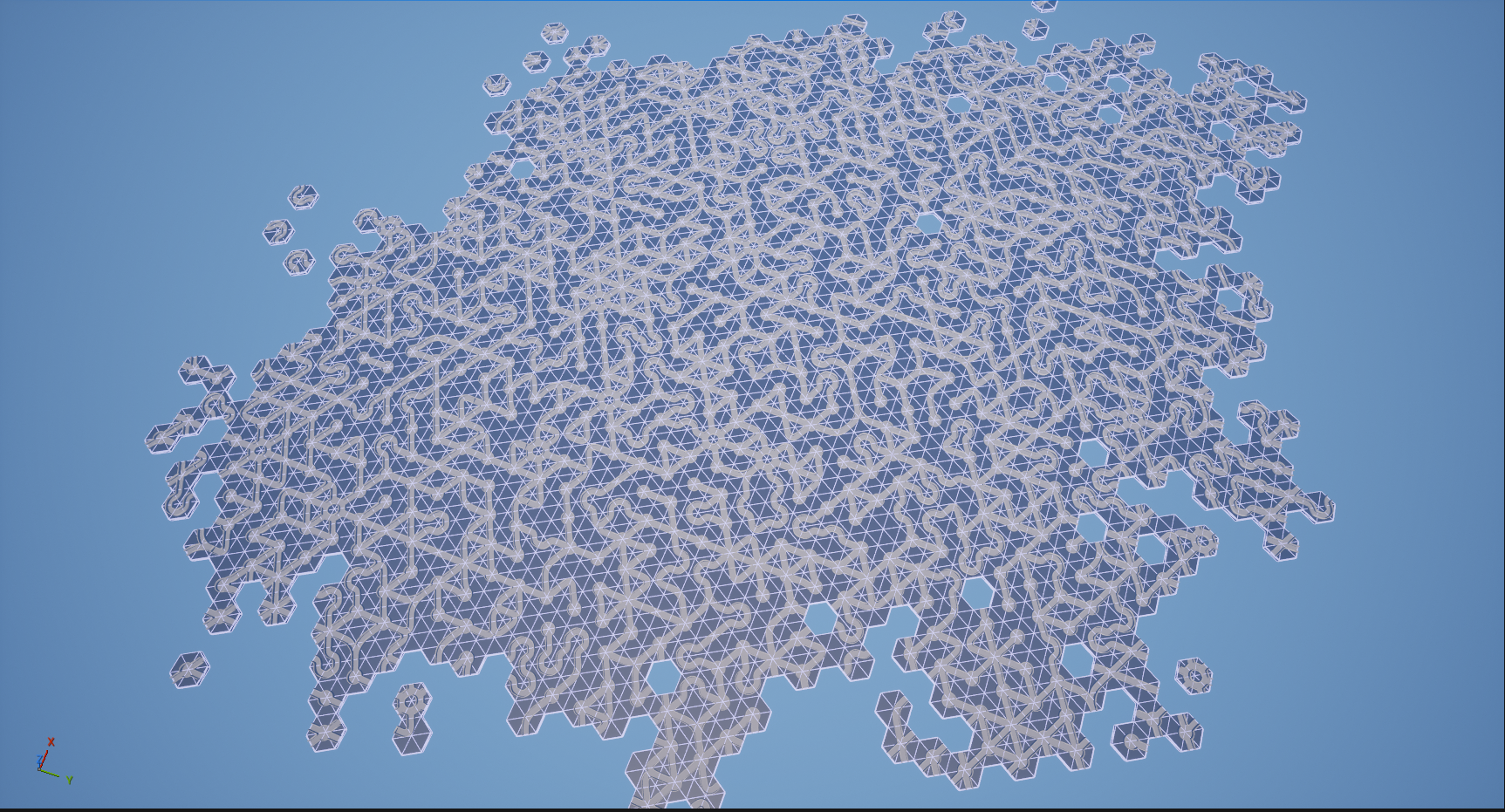
I set out to create a map generation algorithm in Unreal Engine written in C++. The idea is inspired by how games like Housemarque’s Saros and Returnal generate their random map designs where prebuilt “rooms” with connecting doors can be attached in random orders to create unique overall maps with every generation.
I wanted to challenge myself to break out from the classic square tile grid, but I do not have the resources to create full 3D rooms in the likes of Saros and Returnal. I ended up choose a hexagonal grid, using a global hexagonal coordinate system following this guide that I found online, as an outline:
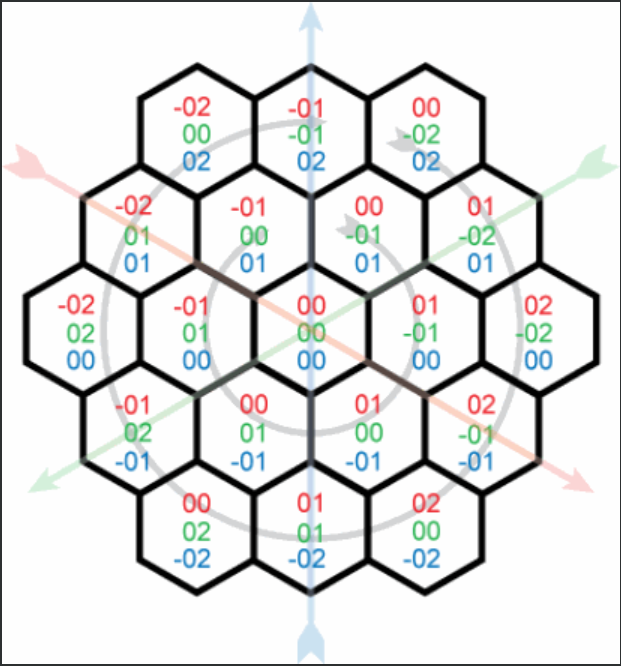
Each hex is not just a piece of geometry, rather it is a smarter object that is used to generate the scene as a whole. It contains information and functions for not only spawning proper geometry into the scene to build the level, but it is also able to navigate its neighboring hexes and connect to them.
Each hex has a series of connection points around it. Each point, and each edge center of the hex, is a single connection point. Consider this visual guide I drew up to keep track of the connection points:

Every connection point is paired to another connection point on another hex when it is “connected”. The mapping logic uses these connections for tracking neighboring hexes and what “type” each connection point is, such as a blocked path or a road.
Lets talk about connection types, yet another object managed in the system. In this early version of the map generator, a connection type is either “Empty”, “Blocked” or “Road” (or “Invalid” when something goes wrong). When a connection point is given an “Empty” connection type, this means it is detached from any other hexes. These are the connection points that have the potential to get a new hex spawned neighboring it.
I built a handful of tile pieces in houdini to give some potential variety to the map. Here are four examples out of roughly a dozen road tiles built:
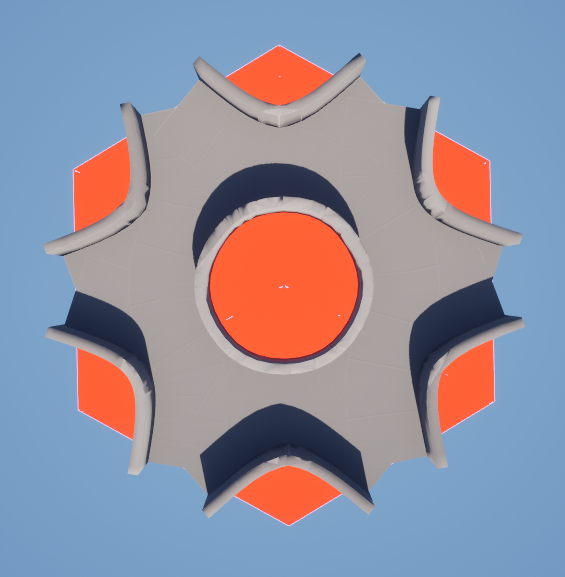


Each tile knows which sides are road connections, and which sides are blocked.
Houdini makes it very easy to define the pattern of each hex and then procedurally model each of the roads models including raised collision walls to act as barriers to the character on the roads. As a first pass, I designed over a dozen of these tiles to use to build the first map.
Each hex uses it’s own coordinate as it’s own unique identifier. As hexes get spawned, they register themselves with a Level Manager WorldSubsystem that is used to perform global hex operations. The Level Manager spawns new hexes, is able to return a hex from a given coordinate, is able to return random connection points when needed, and draws debug information into the Unreal scene for help with development.
When first spawning a hex, we choose the location of the new hex by randomly selecting any disconnected connection point in the map to spawn from. As Hexes are spawned, a randomized tile is chosen.
The logic for choosing which tile to use for each hex is the main bulk of the map generation logic. We cannot have any roads connect to any blocked sides and any empty connection types are free game. When we choose a tile shape, we must test that it doesn’t have any conflicting connection points in the space we’re trying to place it. First, we gather all of the already established connection points that we cannot conflict with, based on the hexes that are already spawned. We already know which sides of the tile we’re testing are blocked or roadways. So now we must check the tile. We loop through each connection point and check if it has any Road to Block conflicts. If none of the connection points conflict, save it to a list. Next, we rotate the proposed tile 60 degrees. Now, there are new connection point pairings, so we must test again. We repeat this for each significant rotation of a hexagon, in 60 degree increments. When we’ve gathered all the potential valid orientations of this tile, we pick one for spawning. If none are valid, we check a new tile.
This process loops from a central spawn point and builds outward in a random network of road connections.
Now that it is all built, I’m surprised by how complex the networks look from just a small handful of different tiles.



There is a lot of space to expand this.
Each hex isn’t just a static mesh object, rather it contains many functions and methods for controlling what objects it spawns in its place, and how those objects connect to neighboring hexes. We can easily expand this to include decorations and materials, biomes, etc. What I have is just the system for building the building blocks.
Each tile is randomly selected at this point in time. There can be some added logic for increasing the chance of certain tiles over others.
I’m actually rather happy with how this has turned out so far, and I fully intend to continue down it. I’m particularly surprised for it’s speed. I can generate a map with about 2000 tiles in about a second. There is also plenty of room for improving this. Here’s what that looks like: